

Grove
Share real local terminal processes between your menu bar and AI agent.
Run mobile, web, and backend projects directly from a Mac terminal
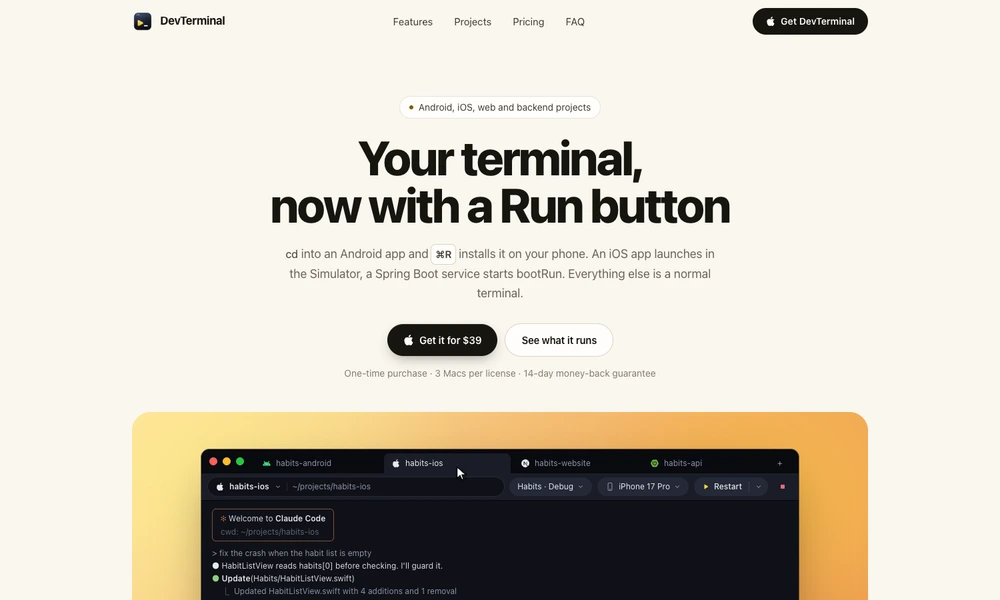
DevTerminal adds project-aware run controls to a Mac terminal. When users enter a supported project folder, it recognizes the stack and chooses an appropriate command. A keyboard shortcut can build and launch an app, start a development server, or run a backend service while leaving the shell available for other work.
Mobile projects include device and simulator selection, build variants, and streamed logs. A separate run panel supports searching, filtering, restarting, and interacting with a running process. Users can also define custom actions for unfamiliar projects. DevTerminal is useful for developers who prefer terminal workflows but want convenient controls around repeated build and launch tasks.
Tried it? Share a useful thought or ask a question.
Good conversations start with a hello.
Sign in to commentShare real local terminal processes between your menu bar and AI agent.
A Mac terminal for SSH sessions, file transfers, and coding agents
Arrange terminals and coding agents on a shared canvas
Wrap a real Mac terminal in custom artwork and community-made skins
Work with a terminal, browser, and Claude Code in a single project window.
Organize coding-agent terminals and projects in one Mac workspace