
Radial
Launch Mac actions and workflows from a gesture-driven pie menu
Trigger Mac shortcuts and app actions with mouse or trackpad gestures.
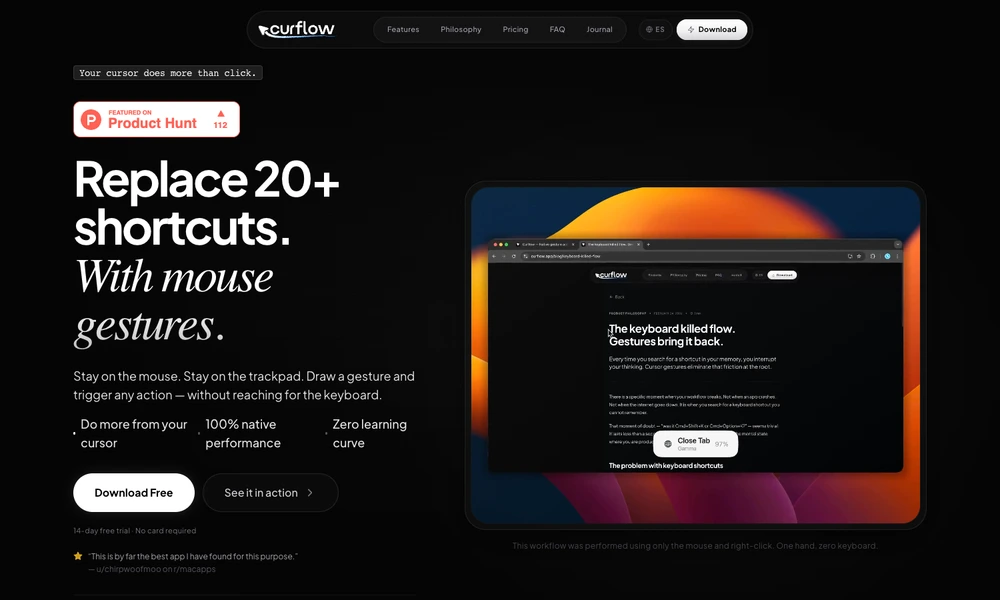
Curflow maps mouse and trackpad gestures to actions on a Mac. A user holds the right mouse button or an Option-key trackpad trigger, draws a gesture, and performs a command without reaching for a keyboard shortcut. Common actions include browser navigation, tab controls, clipboard operations, and switching applications.
Mappings can be global or specific to an app, letting the same movement fit different contexts. A repeat mode reuses an action through additional clicks without redrawing it. The configuration interface groups gestures and their assigned actions in one place. Recognition and stored mappings remain on the Mac, with a trial available before choosing a license.
Tried it? Share a useful thought or ask a question.
Good conversations start with a hello.
Sign in to commentLaunch Mac actions and workflows from a gesture-driven pie menu
Trigger Mac shortcuts with taps and gestures
Use an iPhone as a wireless control deck for a Mac
Build a personal Mac menu bar for apps, links, and scripts
Access and combine common Mac settings from the menu bar
Use an iPhone or iPad as a shortcut and app control panel for Mac