FindDiskKiller
Trace Mac disk activity to the applications, files, and devices behind it.
Monitor Mac resource usage, temperatures, network activity, and battery health from the menu bar.
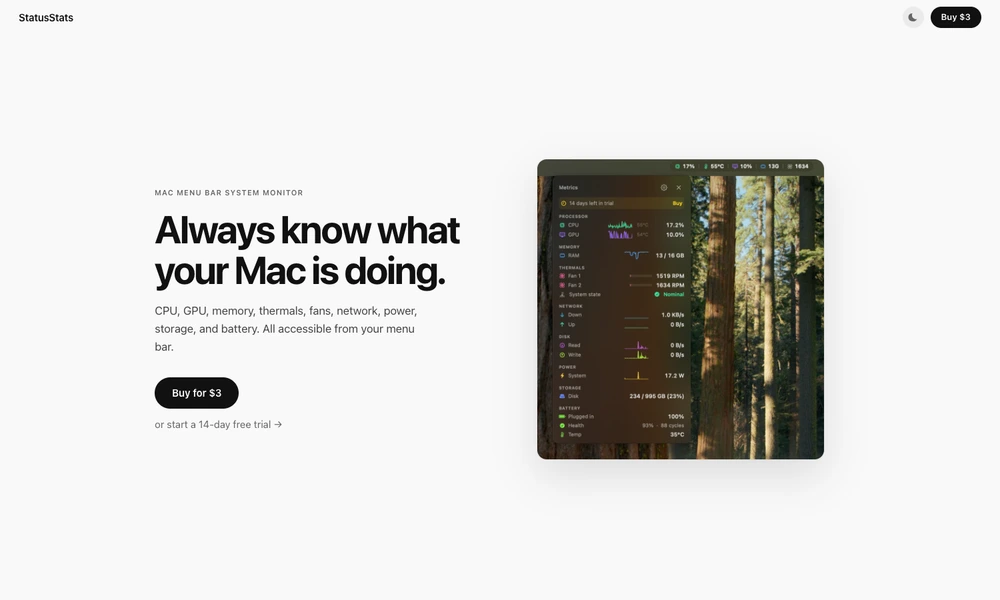
StatusStats puts Mac system measurements in a menu bar panel. It shows CPU and GPU usage and temperature, memory consumption and pressure, fan speed, and the system thermal state. Sparkline history helps put current processor activity in context when checking whether a workload is briefly busy or consistently demanding.
The same panel includes upload and download speeds, disk read and write throughput, storage usage, and power draw. Battery information covers charge, health, cycle count, and temperature. The application supports Apple silicon and Intel Macs running macOS Ventura or later, with a time-limited trial followed by a one-time purchase.
Tried it? Share a useful thought or ask a question.
Good conversations start with a hello.
Sign in to commentTrace Mac disk activity to the applications, files, and devices behind it.
Review running Mac apps and quit selected groups from the menu bar.
Pause Mac keyboard input when cat-like key patterns appear
Control each Mac app’s audio from the menu bar
Track network data usage and receive limit alerts from the Mac menu bar.
Understand thermal pressure and heavy workloads on a fanless MacBook Air.