nocal
Plan your week with connected calendars, notes, and tasks
Display your calendar, reminders, and tasks as a customizable iPhone Lock Screen wallpaper.
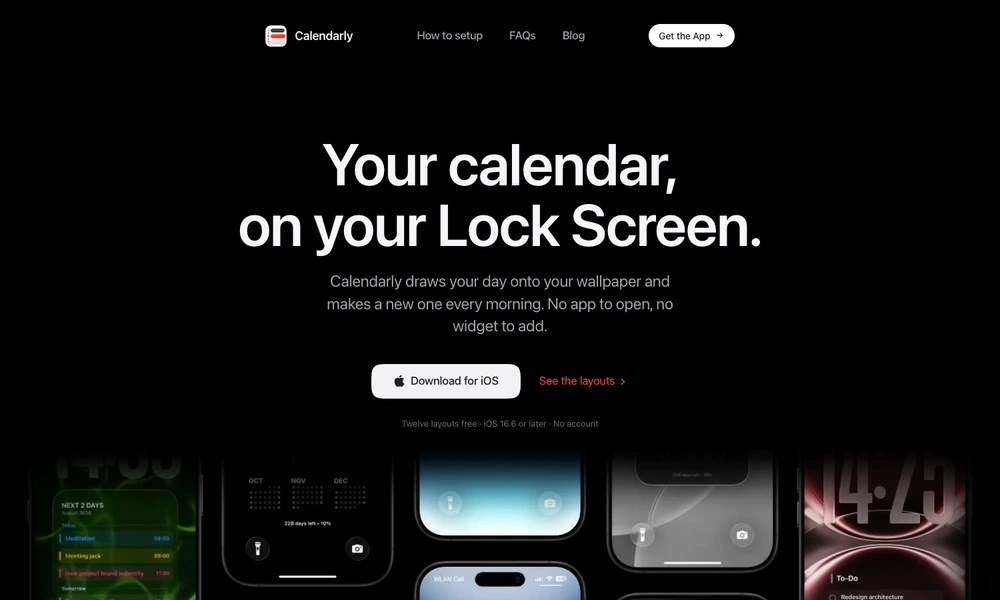
Calendarly draws a calendar onto an iPhone wallpaper so upcoming plans can be read from the Lock Screen. Users select a layout for a day, several days, a week, or a month, then customize its appearance. A Shortcuts automation refreshes the wallpaper each morning after setup.
The app also supports notes, countdowns, reminders, and to-do lists alongside the calendar. A Todoist connection can add tasks scheduled for the day. Ready-made wallpapers provide starting points for different styles, while layout controls let users adjust the result. Calendarly requires iOS 16.6 or later and can be used without creating an account.
Tried it? Share a useful thought or ask a question.
Good conversations start with a hello.
Sign in to commentPlan your week with connected calendars, notes, and tasks
Plan a year of work across Google and Outlook calendars
A customizable calendar and task manager for Mac and iOS
Keep upcoming trips, birthdays, and personal milestones in view with countdowns.
Mirror Outlook calendars into Google Calendar from your Mac.
Filter and synchronize events across calendars with reusable rules