

OneCommander
Browse Windows folders with dual panes, columns and file previews
Organize Windows files with tabs, dual panes, tags and previews
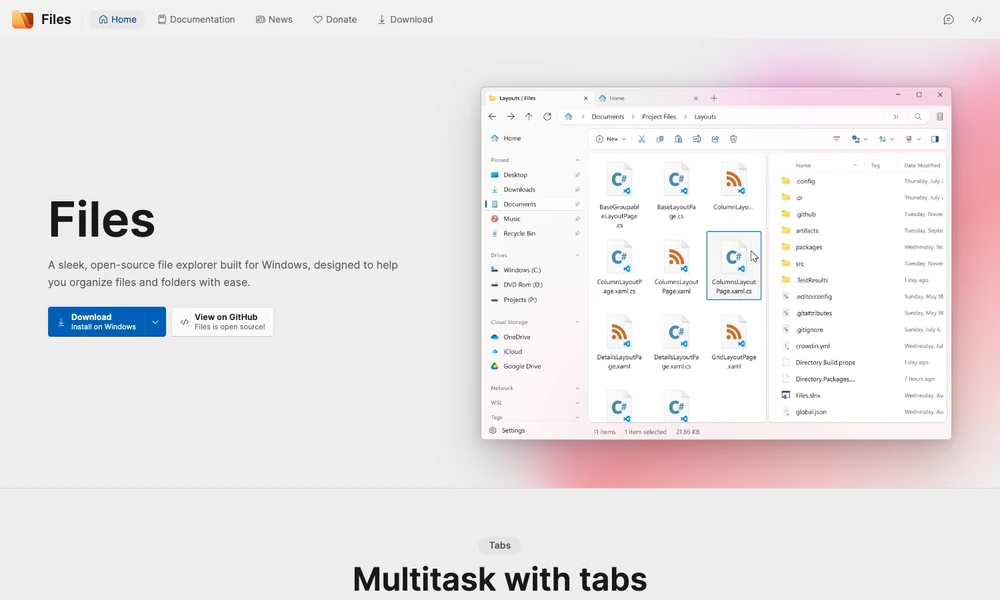
Files is an open-source file manager for Windows. Tabs and dual panes keep several folders available, while column views and colored tags provide different ways to navigate and organize them. A preview pane shows supported media or documents before opening another application.
Cloud-drive integration connects local files with services such as OneDrive, Google Drive, and iCloud. Archive tools create or extract packages, and Git controls handle supported repository tasks. Custom shortcuts, a command palette, and toolbar settings adapt the workspace. Someone working between two folders can compare their contents, move files, and inspect the result within the same window.
Tried it? Share a useful thought or ask a question.
Good conversations start with a hello.
Sign in to commentBrowse Windows folders with dual panes, columns and file previews
Manage files in a customizable terminal interface
Manage Windows files with configurable panes, tabs and batch tools
Browse and transfer files across local storage, cloud drives, and object storage in one workspace.
Browse and compare files in a two-pane Windows file manager
Open Mac files in the editor selected by your rules