
Snapdown
Convert screen regions into structured Markdown on your Mac
Copy text from images, videos and other areas of a Mac screen
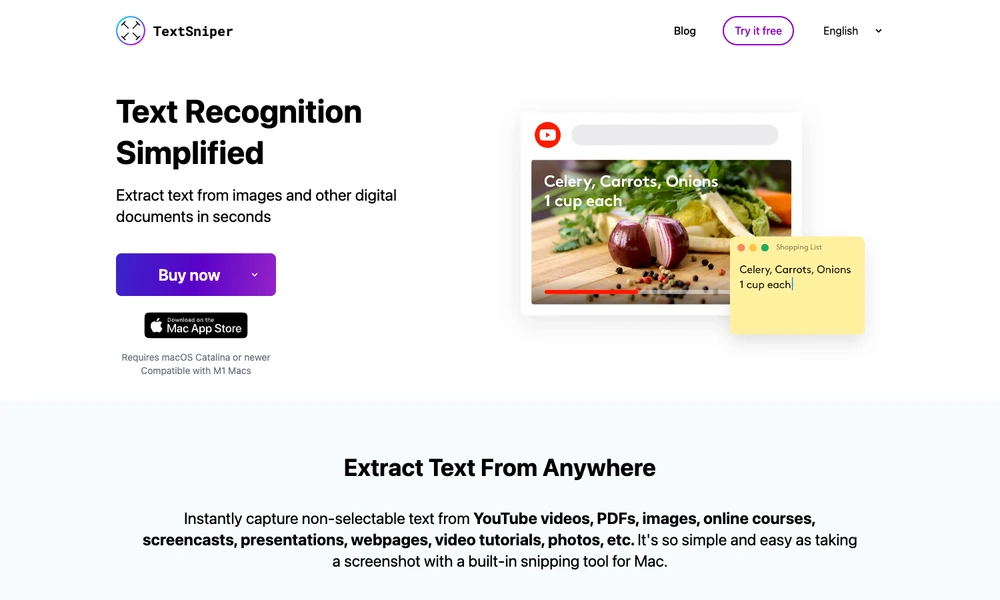
TextSniper extracts text from a selected area of the Mac screen. A keyboard shortcut or menu-bar command starts capture; users mark the region, and recognized text goes to the clipboard for pasting into another application. This works with material whose text cannot be selected directly, such as a video frame, image, or scanned page. QR and barcode reading provide another form of capture, while spoken output reads recognized text aloud. The shortcut can be customized, and language support depends on macOS. Users can review the captured wording before reusing it, especially where symbols or unusual formatting affect recognition.
Tried it? Share a useful thought or ask a question.
Good conversations start with a hello.
Sign in to commentConvert screen regions into structured Markdown on your Mac
Extract structured document fields with source coordinates and flags for human review.
Scan documents and turn their dates into reminders
Scan paperwork and turn it into searchable, editable documents
Capture documents on your phone and save them as PDFs or images
Scan and organize documents on your phone