
Norah Studio
Separate songs into stems and practice with them on Apple devices
Separate the vocals and instrumental backing from a song
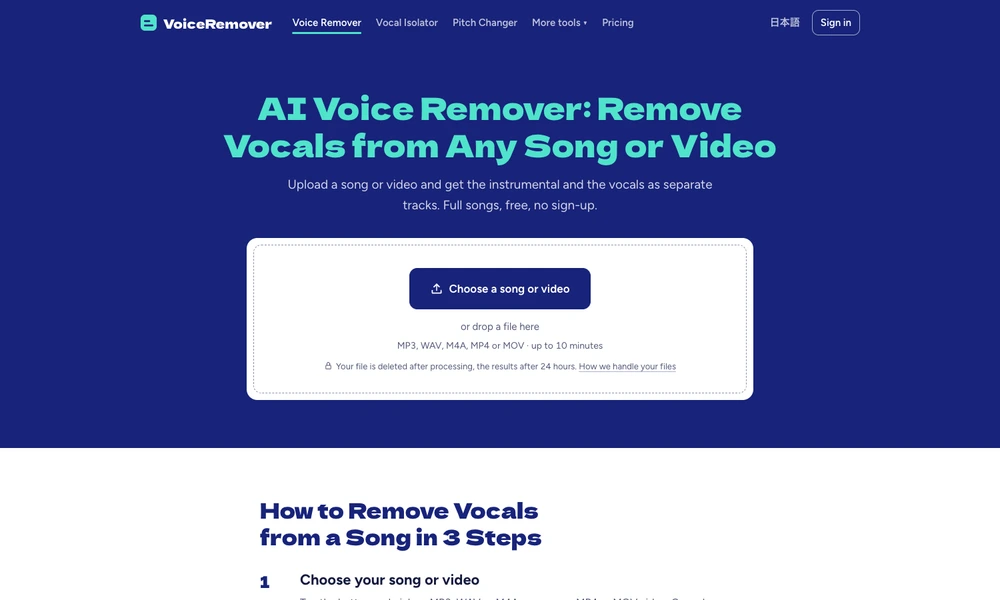
Voice Remover takes a music or video file and separates it into two tracks, one for the singing and one for the accompaniment. Upload a recording, wait for the separation to finish and listen to both results beside the original before downloading them. A singer can use the backing track for practice, while an editor might prefer the isolated vocals. The browser tool accepts common song and video formats, including MP3, WAV and MP4, and lets you preview the results without first creating an account.
Tried it? Share a useful thought or ask a question.
Good conversations start with a hello.
Sign in to commentSeparate songs into stems and practice with them on Apple devices
Repair dialogue and recordings with spectral editing and audio cleanup tools
Real-time voice effects and soundboards for online conversations
Edit, restore, analyze, and convert recorded audio.
Reduce exaggerated room bass in Mac speaker playback
Separate a conversation into aligned audio tracks by speaker