
TextSniper
Copy text from images, videos and other areas of a Mac screen
Copy text from any visible part of your Mac screen
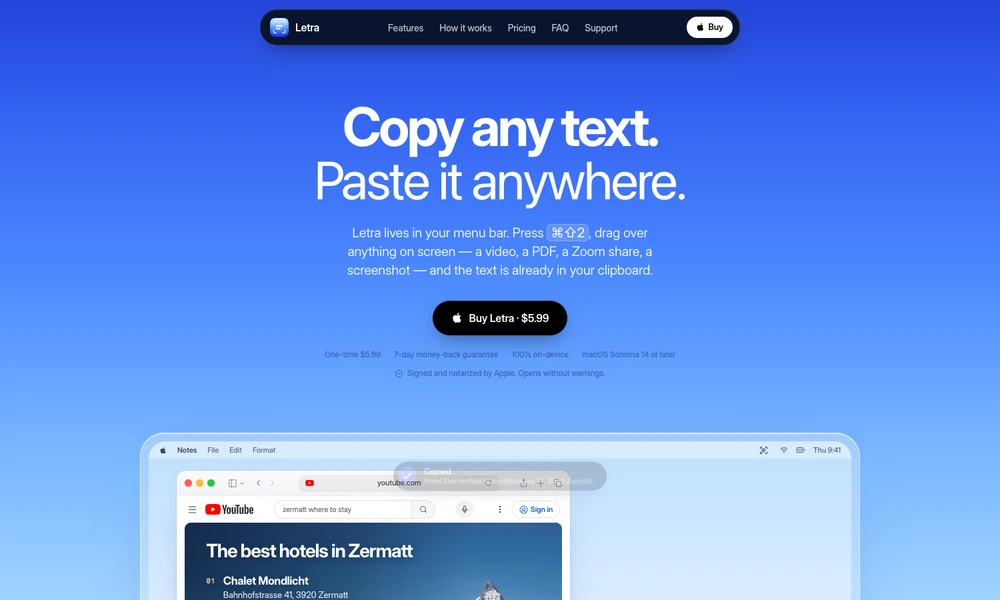
Letra copies text from parts of the Mac screen that do not offer ordinary text selection. Press its shortcut, drag across the area you need, and recognized text is placed on the clipboard for pasting elsewhere. That works with material such as a scanned PDF, a video frame, a screen share, or an image containing an address. The menu-bar app also supports recognizing text from image files and clipboard images, with a history for returning to previous captures. Recognition happens on the device rather than through an uploaded screenshot. Letra is available as a one-time purchase and is useful whenever retyping visible information would interrupt the task at hand.
Tried it? Share a useful thought or ask a question.
Good conversations start with a hello.
Sign in to commentCopy text from images, videos and other areas of a Mac screen
Convert screen regions into structured Markdown on your Mac
Extract structured document fields with source coordinates and flags for human review.
Scan documents and turn their dates into reminders
Scan paperwork and turn it into searchable, editable documents
Capture documents on your phone and save them as PDFs or images