

Ollama
Run open AI models on your own computer.
Run open AI models locally with a desktop app and API
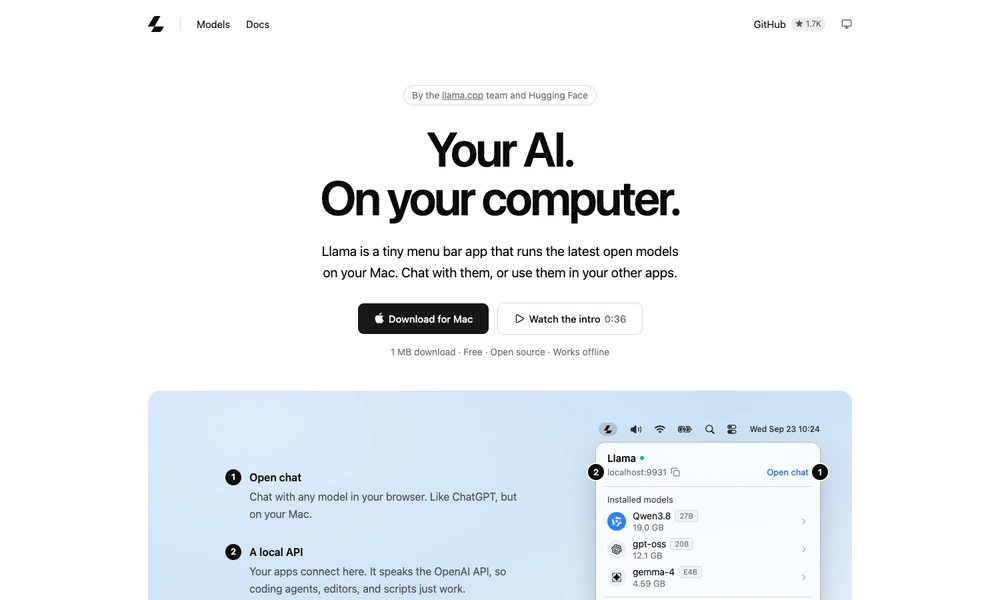
Llama App runs open AI models on a personal computer and makes them available through both a browser chat and a local API. The desktop app lives in the Mac menu bar or Windows system tray, where users can install models, open a conversation, and manage the local service. A command-line option is available for Linux.
The app recommends models that fit the computer and handles their runtime settings. Once downloaded, supported models can work offline.
Applications that accept an OpenAI-compatible endpoint can connect to the local service, including coding agents, editors, and scripts. It provides a small, open-source starting point for using local models without manually assembling a separate chat interface and server.
Tried it? Share a useful thought or ask a question.
Good conversations start with a hello.
Sign in to commentRun open AI models on your own computer.
Run local AI models and use them for work and code
Run supported language models locally on Apple Silicon
Chat with local AI models and documents on your computer
Use local and cloud models in an open-source chat app.
Serve local AI models on Apple silicon with persistent caching.