

VolumeHub
Control each Mac app’s audio from the menu bar
Set volume and output separately for each Mac app
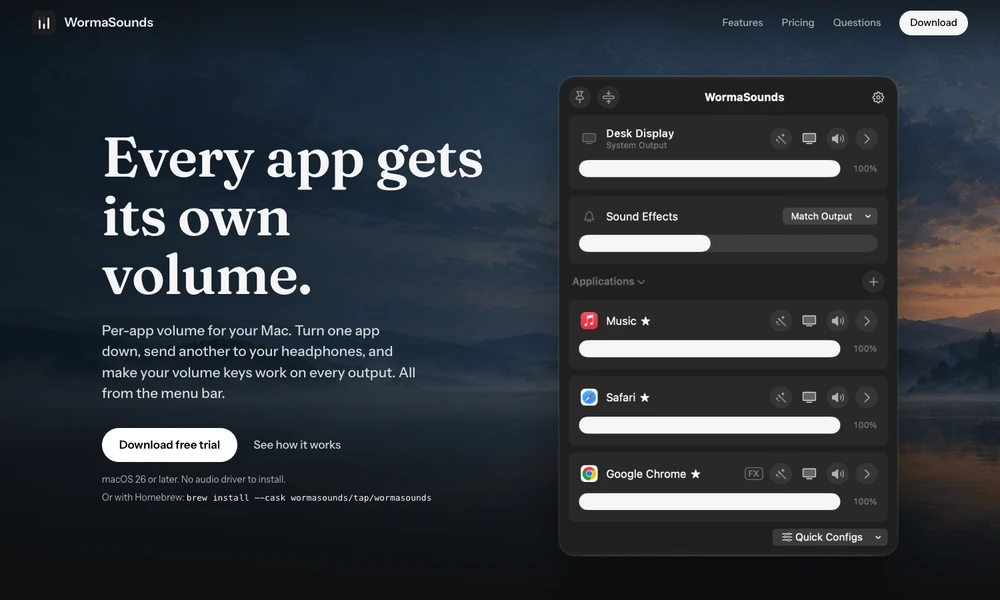
WormaSounds puts an individual volume slider in the Mac menu bar for each application that is playing sound. That lets someone lower a music player without making a quiet video call even harder to hear. An application's output can also be sent to a different device, such as headphones for a call while music continues through speakers. A timed mute is useful for an app that should stay silent only during a meeting. The macOS app offers a trial and can be installed directly or through Homebrew.
Tried it? Share a useful thought or ask a question.
Good conversations start with a hello.
Sign in to commentControl each Mac app’s audio from the menu bar
Control Bose QC Ultra modes and audio sources from Mac
Review running Mac apps and quit selected groups from the menu bar.
Pause Mac keyboard input when cat-like key patterns appear
Monitor Mac resource usage, temperatures, network activity, and battery health from the menu bar.
Track network data usage and receive limit alerts from the Mac menu bar.