
Camtasia Snagit
Capture screens and turn a sequence of clicks into an illustrated guide
Turn clicks into illustrated guides with numbered screenshots and export options.
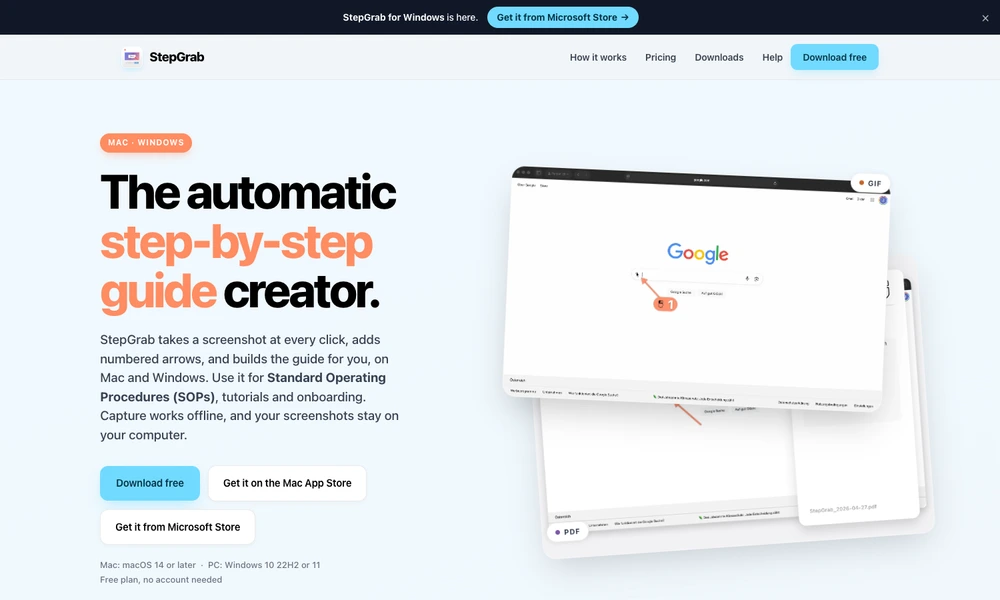
StepGrab creates step-by-step guides by taking a screenshot at each click and adding numbered arrows. Available for Mac and Windows, it is designed for procedures, onboarding, tutorials, support instructions, and bug reports. Users choose a window or display, record the workflow, and then turn the captured steps into a guide.
Window capture can include open menus and popovers, while annotation settings control the appearance of arrows and numbers. A small recording display keeps track of progress. Capture works offline and stores screenshots on the computer. The free plan exports animated GIFs, while paid options add formats including PDF, MP4, HTML, Markdown, and mobile video.
Tried it? Share a useful thought or ask a question.
Good conversations start with a hello.
Sign in to commentCapture screens and turn a sequence of clicks into an illustrated guide
Queue Mac screenshots, annotate them, and paste a batch with one command.
Capture and annotate screens for design feedback, bug reports, and coding agents.
Capture and annotate Windows screenshots for reports and documentation
Capture and annotate Windows screens with built-in design utilities
Turn spoken feedback and screenshots into plans for coding agents