
Dipshot
Capture, annotate, and style screenshots locally on your Mac.
Frame, annotate and redact screenshots on a Mac
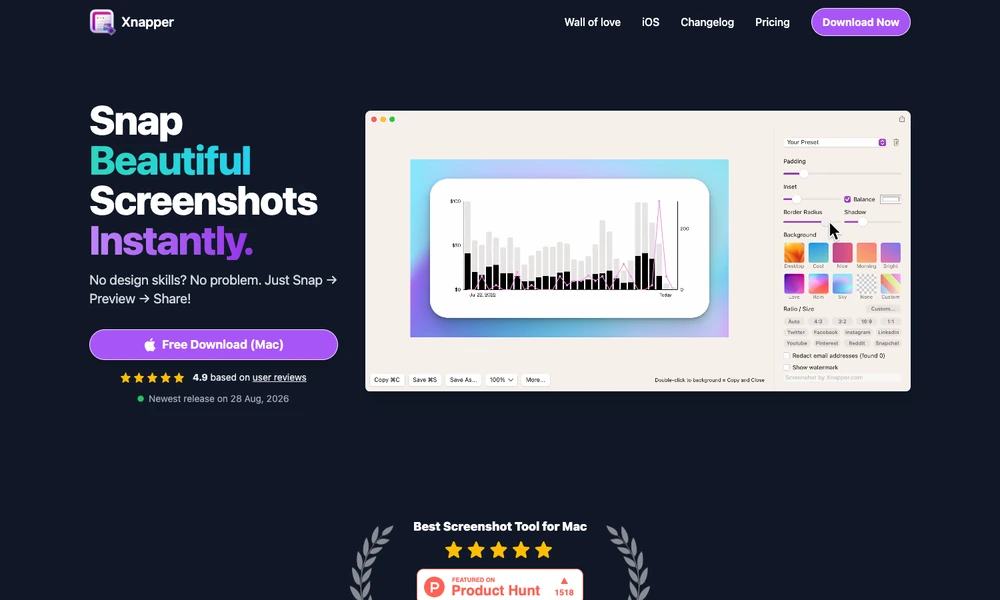
Xnapper prepares Mac screenshots with framing, backgrounds, and annotations. It can balance the captured image automatically, select a background, or use a custom gradient or image. Presets and social-media aspect ratios keep the presentation consistent across images intended for a post, guide, or presentation.
Text, arrows, shapes, and blur tools mark up the capture, while text recognition extracts visible wording. Redaction tools help obscure details such as email addresses or API keys before sharing. Users can also import an existing image from a file or clipboard and return to screenshot history. Output compression prepares the selected image for its destination.
Tried it? Share a useful thought or ask a question.
Good conversations start with a hello.
Sign in to commentCapture, annotate, and style screenshots locally on your Mac.
Keep annotated screenshot references above your Mac windows
Capture, annotate, and share your Mac screen
Screenshot capture and annotation tools for Mac
Turn screenshots and annotations into structured context for coding agents
Capture screenshots and annotate them with a configurable desktop tool