
Pane Studio
Record and edit Windows screen videos with automatic zooms and adjustable cursor motion.
Record screens, webcam video, and audio for tutorials and presentations.
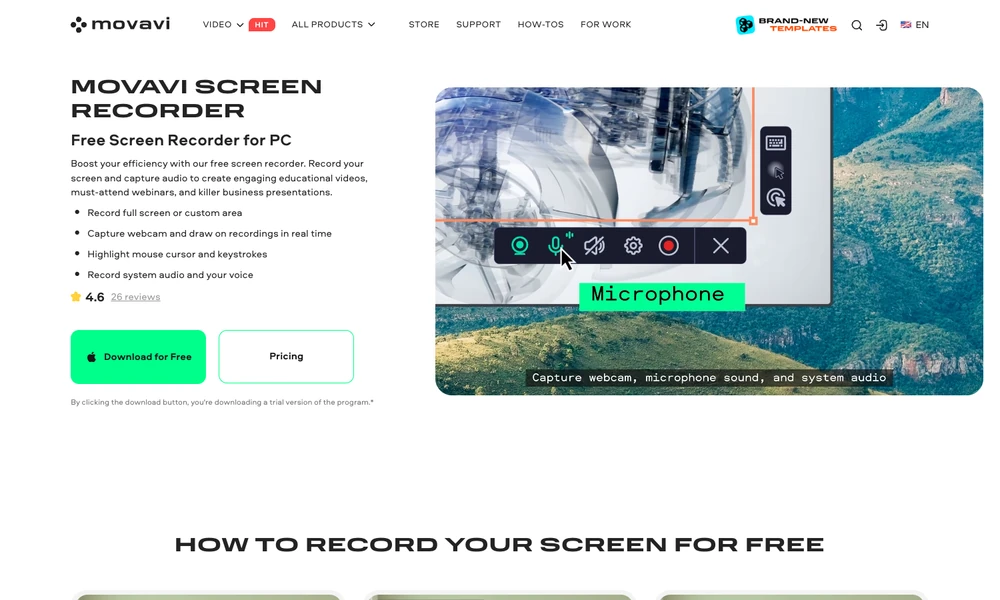
Movavi Screen Recorder captures desktop activity for tutorials, demonstrations and narrated presentations. Select the full screen or a particular area, then choose whether to include system sound, microphone audio and a webcam overlay. Cursor and keystroke highlights show viewers what you are doing as you move through an application.
During recording, drawing tools add pointers and shapes to emphasize a detail. The scheduler can start and finish a planned capture at a chosen time, while scrolling screenshots save pages that extend beyond the visible screen. After stopping a recording, you can review the captured material and prepare it for sharing with your audience.
Tried it? Share a useful thought or ask a question.
Good conversations start with a hello.
Sign in to commentRecord and edit Windows screen videos with automatic zooms and adjustable cursor motion.
Capture screenshots and recordings, add annotations, and edit presentation effects in one desktop app.
Turn rough screen recordings into narrated product demos and tutorials
Record Windows demos with automatic zooms, smooth cursors, and local export
Record Mac screen demos with automatic zoom and smooth cursor motion.
Build tutorials from screen recordings with editable tracks and cursor effects